A Game Designer who is ready to make worlds

SCRAPS
Overview
Platform: PC
Language: C#
Engine: Unity 3D
Tools used: Unity 3D, Visual Studio, Adobe Photoshop, Google Draw, Google Docs
Duration: 3 months
Role: Level designer
Features I worked on
- I used Unity 3D to design a 4 minute long level that has 2 major level mechanics. The level is about finding a Bastion doctor’s secret laptop that is hidden somewhere in his old laboratory facilities.
-
I used C# to script 2 level mechanics which are poison fungi and laser machines.
-
I used Google Draw and Docs to document the level design plan.
-
I used Adobe Photoshop to edit textures that were used when integrating the aesthetics of the level.
-
I added all sound effects and particles for the level mechanics and interactable features in the level such as doors that open with sounds or waterbeds that the player can dive into.
Level Mechanics
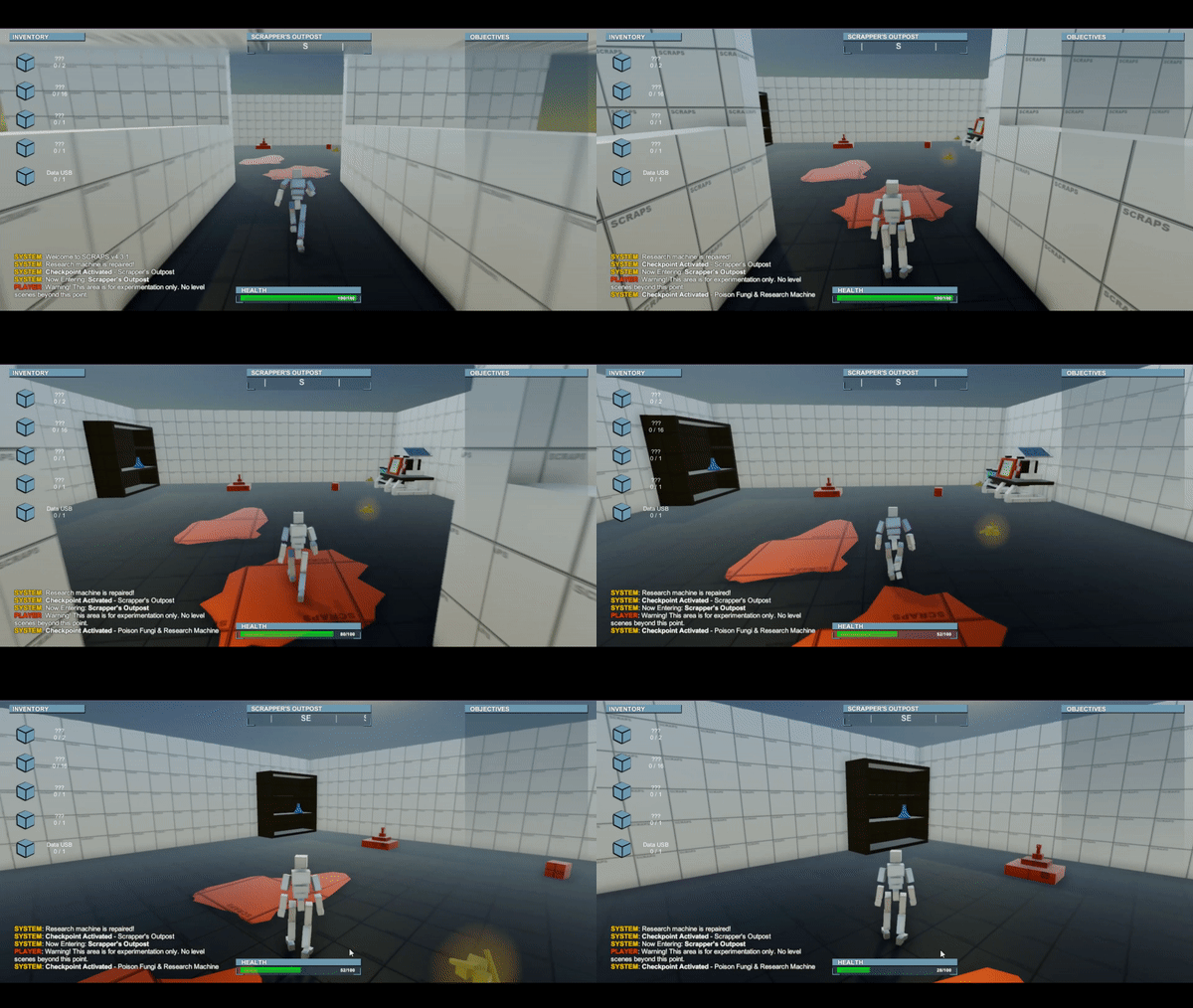
a. Poisonous Fungi
The first mechanic of the level was the poisonous fungi. Since the setting of SCRAPS is a post-apocalyptic wasteland, I thought having mysterious and lethal fungi around the level can be convincing. The player can see the fungi all over the floors and walls in the level, and will get hurt by stepping on them. He/she has to walk around, jump over, or place other objects and walk on them in order to avoid getting hurt by the poisonous fungi.
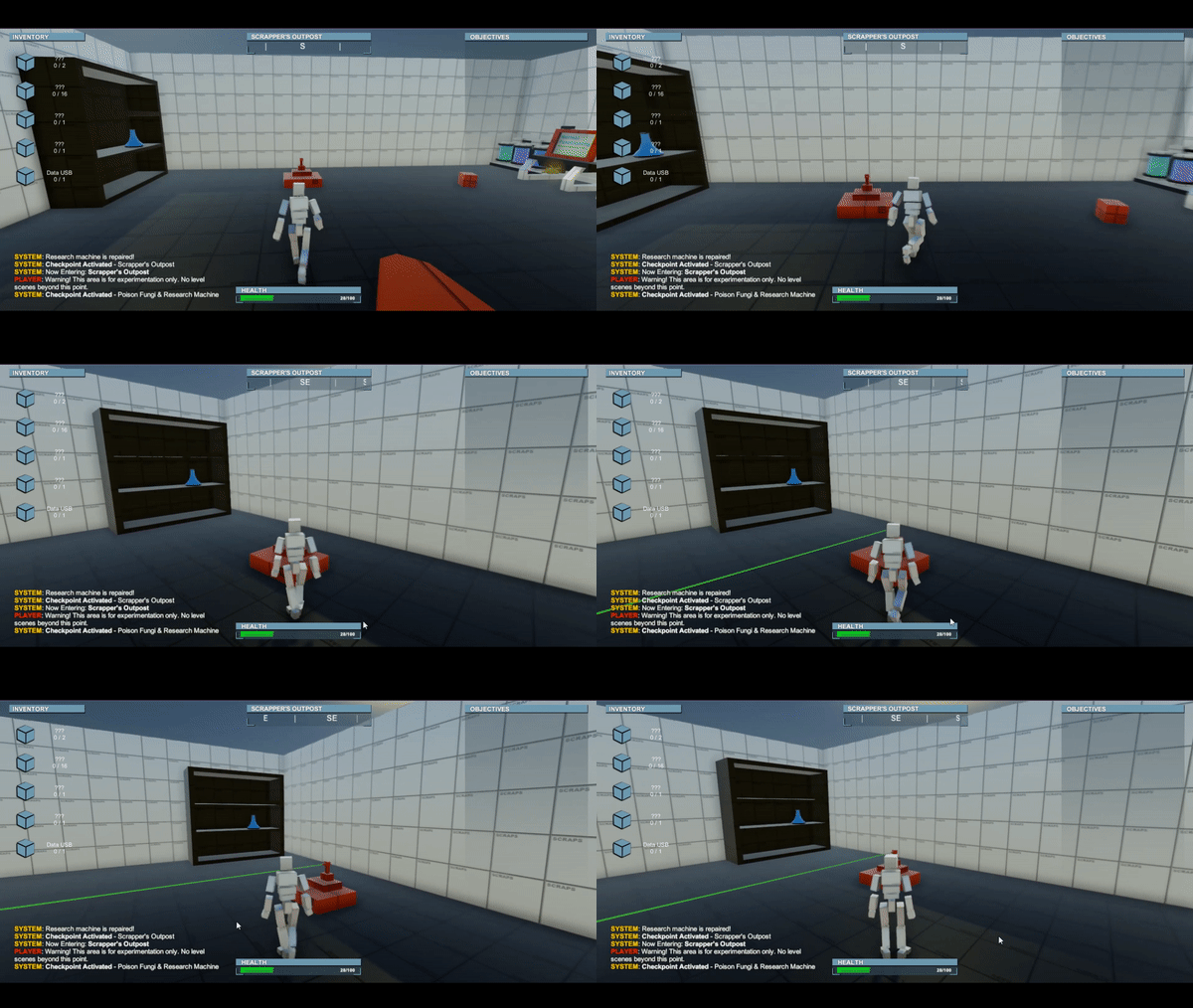
b. Laser Machine
The second mechanic of the level is the laser machines that are placed at some points of the level. Once the player activates the machine, it will shoot out a line of laser that can damage certain objects. My intent of making this mechanic was to enable the player to cut through walls so that the player can make his/her way out of enclosed rooms that have no doors.
Summary
SCRAPS is a 3rd person exploration game that I took part during the three level design classes of the game design degree program of Full Sail University. My job was to make a level of this game that contains 2 level mechanics and has a difficulty ramp that matches the IPM (Introduce, Practice, Master) steps.
Design Process and Intent
a. Planning: A good start
I started this project with drawing the map of the level. Originally, I have planned my level as a cylindrical building that had a staircase in the middle to go to the roof. I used draw.io to make a precise map that shows all the elements of the level including where the IPM of the two mechanics take place, where the pickups are, how the player’s path should be, and how the level should start and end.
The map was planned to be an abandoned laboratory in which the player has to avoid stepping on poisonous fungi and find their way out of the laboratory building by destroying some doors or walls.

b. Blockout: Trial and Error
After drawing the map, I used Unity’s projector to project the map on the terrain, and started blocking out the level. This process was to make the bare bones of the level and see if the mechanics work well in an actual physical setting.
However, there was a problem. After blocking out and testing the level, I found out that the level was too hollow and I have scoped out the level to big. Even if I have placed lots of objects, a significant percentage of the whole level was not even being used meaningfully. To solve this problem, have decided to scrap the original map, and start planning a new one.
c. Re-planning + Redoing the Blockout
I have thought about the reason why the blocked out level was so hollow compared to my estimation during the planning process. My conclusion was that it was difficult to properly estimate the size of the area and objects only by using the projector. Even though I have made the ‘Player icon’ on the map to be the base unit that represents the size of the player, it was difficult to measure how the size would feel like in real.
Based on this analysis, I chose a different way of planning. I decided not to use the projector. Instead, I hand drew a rough map on my notebook, and dug into blocking out the level right away in Unity so that I can measure the scope lively and more realistically.
The new level that I planned and blocked out was still an abandoned laboratory. However, the structure of the building changed so that the player’s path is clearly linear and the game play is more compact without hollow or unused spaces.


d. Aesthetics
All the geography, buildings, and objects were not textured until the block out process. Since I used Probuilder instead of Unity primitives this time, it was a lot easier to texture the level. I downloaded some textures of rusty metal floors and walls and applied them to my level to visualize the feeling of an old, abandoned laboratory in the wasteland.


f. Integration and Play-through
This is a play-through video of my SCRAPS level.
Game Design and Development
Production and Team Management
- Held weekly level design meetings and daily stand-ups
-
Used Trello to manage the team’s development schedules and organize bug reports
-
Organized the flow of the levels and planned an integrated mission for the player to achieve throughout all 5 levels of the games